
This Collaborative Calendar App Organized My Family’s Crazy Life
Key Takeaways
- OurCal is a free, privacy-first calendar app for couples and families.
- It’s easy to set up OurCal on iPhone or Android to share schedules, create calendars, and customize event alerts.
- OurCal offers customization features like color labels, widgets, and keyboard extensions to streamline schedule management.
Sometimes, it can be hard to find time to spend with the people we love. Working in the entertainment industry, I have a demanding and wildly unpredictable schedule, as does my partner. So I tried an app called OurCal, hoping it would help us plan time together. Here’s how it went.
What Is OurCal?
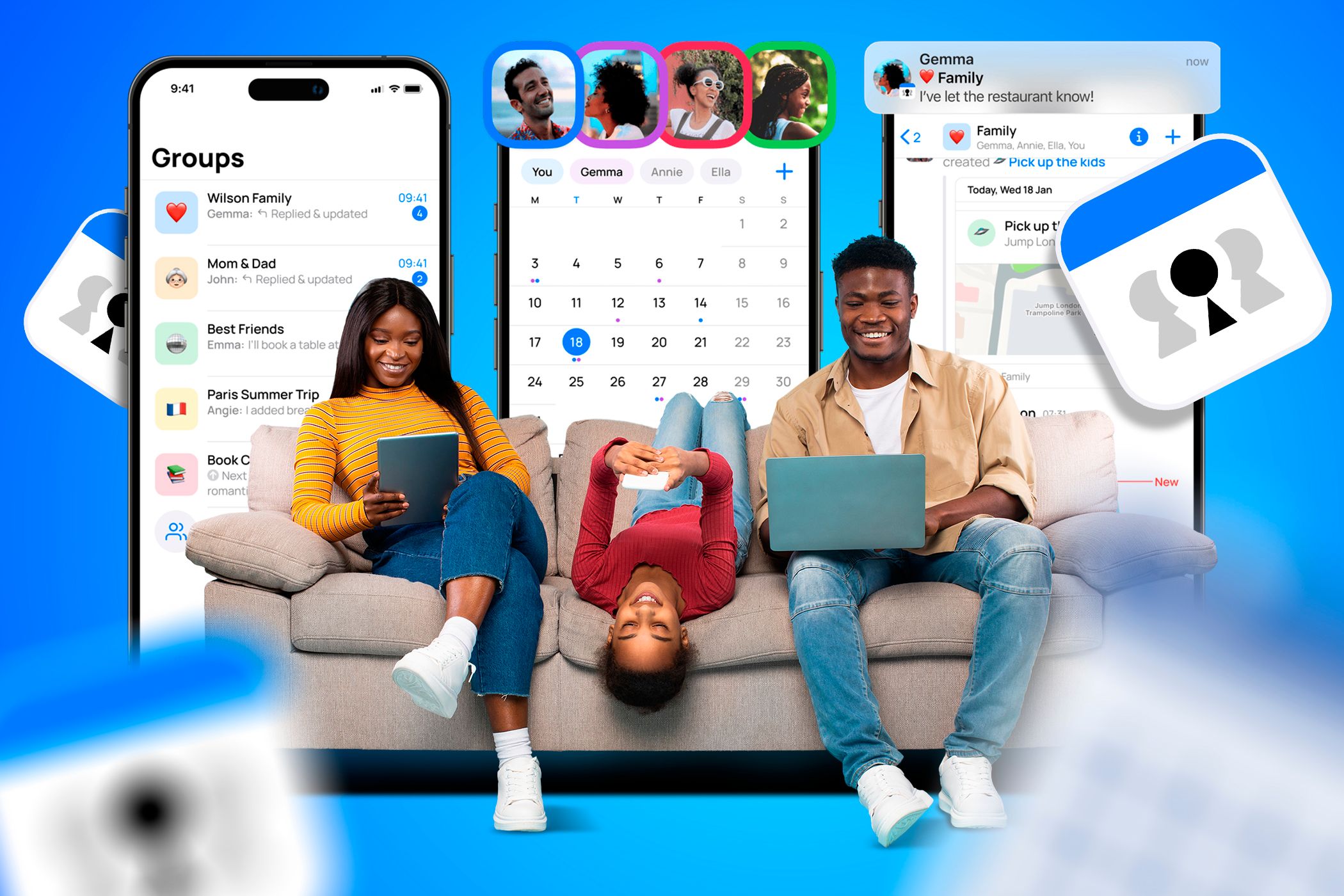
OurCal is a free, collaborative calendar app for iPhone and Android. The company adopted the name after realizing its most “loyal users are actually couples and families,” according to OurCal’s blog post about the launch.
While there are many shared calendar apps to choose from, OurCal describes itself as “privacy-first.” The app offers end-to-end encryption, and it does not track your activities or present you with ads related to them. This was particularly attractive to my partner, who has been consciously moving away from apps that track our information.
Downloading the OurCal App
It’s very easy to set up OurCal on iOS or Android. The OurCal homepage has a QR code that will direct you to your respective application store. Otherwise, you can find OurCal on the App Store or the Google Play Store directly.

OurCal on iOS
You can download OurCal on an iPhone by following these steps:
- On your iPhone, open the App Store.
- Type in “OurCal” in your Search bar.
- Select the OurCal app and tap Get to download the app for free.
OurCal on Android
Follow these steps to download OurCal for Android:
- On your Android device, open the Google Play Store.
- Type in “OurCal” in the Search for apps & games bar at the top.
- Select the OurCal app and tap Install.
How I Use OurCal With My Partner
In the past, my partner and I used a method we call “On The Docket.” We tracked our schedules on a massive email chain, leaving color-coded notes regarding our availability and preferences. While this old-school method certainly improved our communication, its lack of connection to a calendar tool meant that plans slipped through the cracks. For this reason, I was eager to set up OurCal to, hopefully, consolidate our efforts.
Setting Up the App
To set up an account, I only needed to provide my name and birthday. The app uses your date of birth for age verification and does not store it. I then created a New Group for my partner and me to use on an ongoing basis to track our personal calendars.
The app’s UI reminds me of Splitwise, with its ability to create different groups on an ongoing or event-specific basis. I started by creating an ongoing couples’ calendar for us to schedule everything from date nights to weekend hikes.
Sharing Calendars
After creating and naming my first calendar, the app prompted me to Invite members. I sent my partner a link, which he used to download OurCal and join the group I had created. Now, my partner receives a notification anytime I add an event or write messages related to one, and vice versa. We also see notifications as the event approaches, which we can customize to our unique preferences.
I was also able to create a second calendar specific to an upcoming trip. While the date night calendar is just between us, we share the trip calendar with my partner’s brother who we will be traveling with.
Adding Events
To add an event, you can start from Calendar, Schedules, or Groups located within the app’s bottom bar. For example, starting from Calendar, you can add an event like this:
- Tap New Event.
- Select a calendar or group to share the event with and tap Next.
- Create an event name, adjust its timing, and customize which members of the group should be able to see it (the app will default to all), then tap Create.
Importing From External Calendars
You can also import events from external calendars such as Google or Outlook. You can find the option to do this after you have added a New Event and selected a group to share it with.
While the free version of OurCal lets you import individual events, only the paid version lets you integrate an entire external calendar.
How I Customize OurCal to Keep Up With Our Lives
As mentioned, my partner and I are self-certified color-coders. While I was afraid of losing the colorful comment system from our email scheduling method, I breathed a sigh of relief when I saw OurCal’s visual tools, which included calendar color labels, widgets, and more. The app makes it easy to compartmentalize schedules and integrate with your phone’s UI.
Adding Widgets
As helpful as the event-related notifications are, OurCal’s widget makes events even easier to keep track of.
To set up a widget on an iOS home screen:
- Tap and hold the empty space on your home screen.
- Select the + icon in the upper left corner and type “OurCal” into the search bar.
- Select the OurCal icon and choose between various styles of widgets, such as a straight Calendar preview or Up Next window to show your events of the current and next day.
To set up a widget on an Android:
- Tap and hold the empty space on your home screen.
- Tap Widgets from the emerging drop-down menu.
- You should find OurCal’s widget under the app’s banner within your widget options.
- Tap, hold, and drag the widget to the desired location on your home screen.
Keyboard Extensions
The OurCal app also offers a keyboard extension, which I use to access our calendar directly from a text conversation. For example, when a producer messages me about an upcoming work opportunity, I can quickly check our couples’ calendar to ensure I don’t double-book. Compared to our email chain method, this cuts out a significant amount of time.
You can set up the extension via OurCal’s Settings > Keyboard Calendar. Once you enable the keyboard, I recommend restarting your messaging apps.
Maximizing Event Alerts
As in sync as my partner and I are, we differ when it comes to notification preferences. Personally, I want a notification the day before an event as well as 30 minutes in advance. My partner would rather review his calendar for the next day on his own terms. The good news is, OurCal lets us both customize our notifications distinctly to our preferences.
You can customize your notifications in OurCal’s Settings > Notifications.
Drawbacks to OurCal
OurCal is a relatively new and niche application, so it may not work for you if you are very familiar with another interface, like Outlook or Google Calendar. The paid version of OurCal lets you integrate a work calendar, but this feature is not available to free users. Personally, compartmentalizing a couples’ calendar from the overloaded Google Calendar I use for work was a blessing in disguise.
Overall, the app has worked wonders for my household. Our “docket” email method may have helped us establish a schedule, but OurCal’s efficiency tools raised our communication to another level. In the past, the onus was on us to translate plans into our respective calendar apps. That one extra step might not seem like much, but the way OurCal cut out the middle man (our scattered brains) proved valuable in the end.